---
title: 3DCS Mechanical Modeler Software | Add Joints, Constraints and Kinematic Assemblies
description: Determine the impact of variation on your assembly with 3DCS Mechanical Modeler which adds kinematic moves to your Tolerance Analysis model.
---
[](http://www.3dcs.com)
Search this site on Google
Search
# 3DCS Mechanical Modeler
Add kinematic and mechanical joints and constraints to your 3DCS models
# Apply Joints and Constraints and Analyze Through the Full Range of Motion
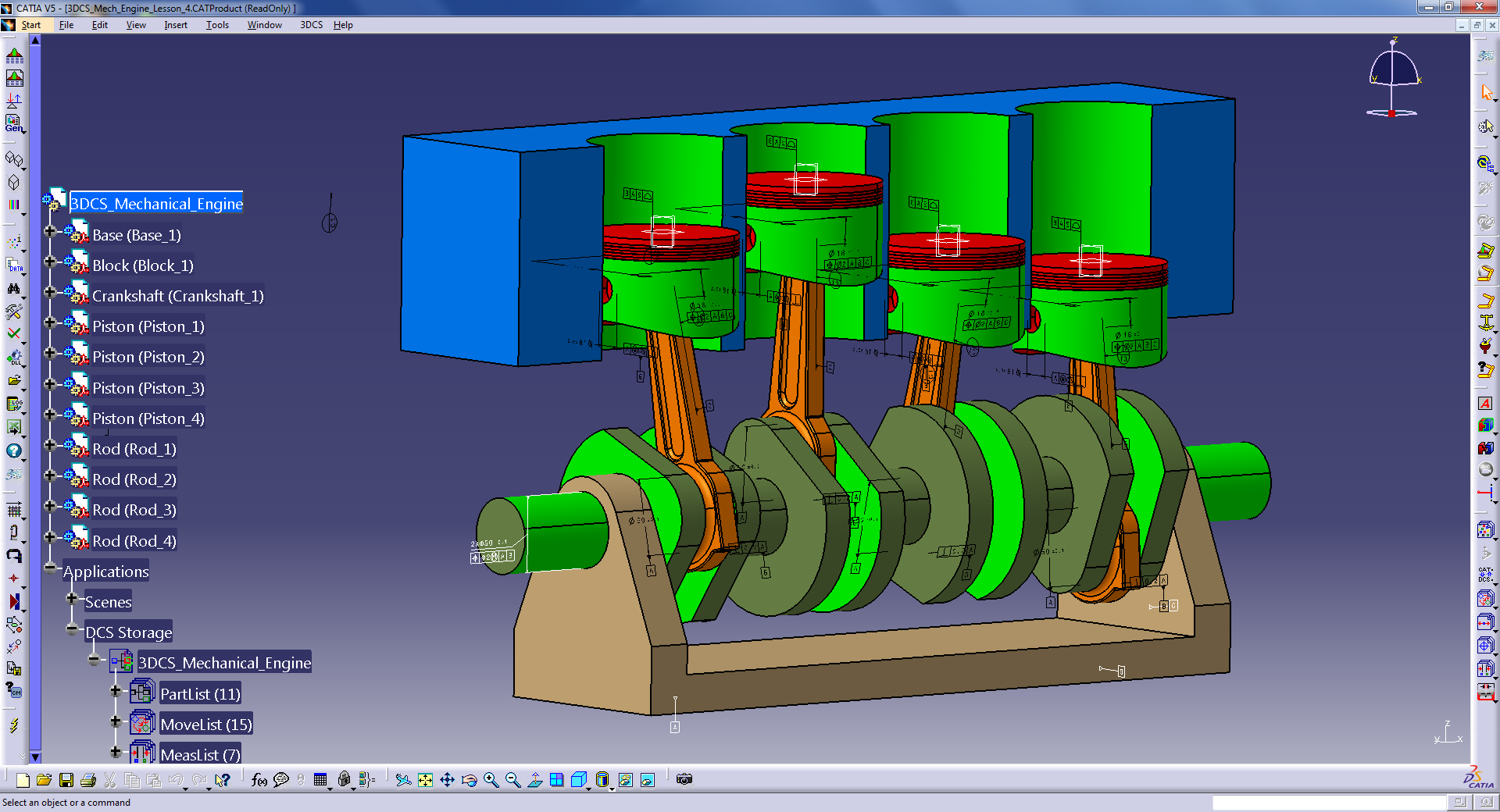
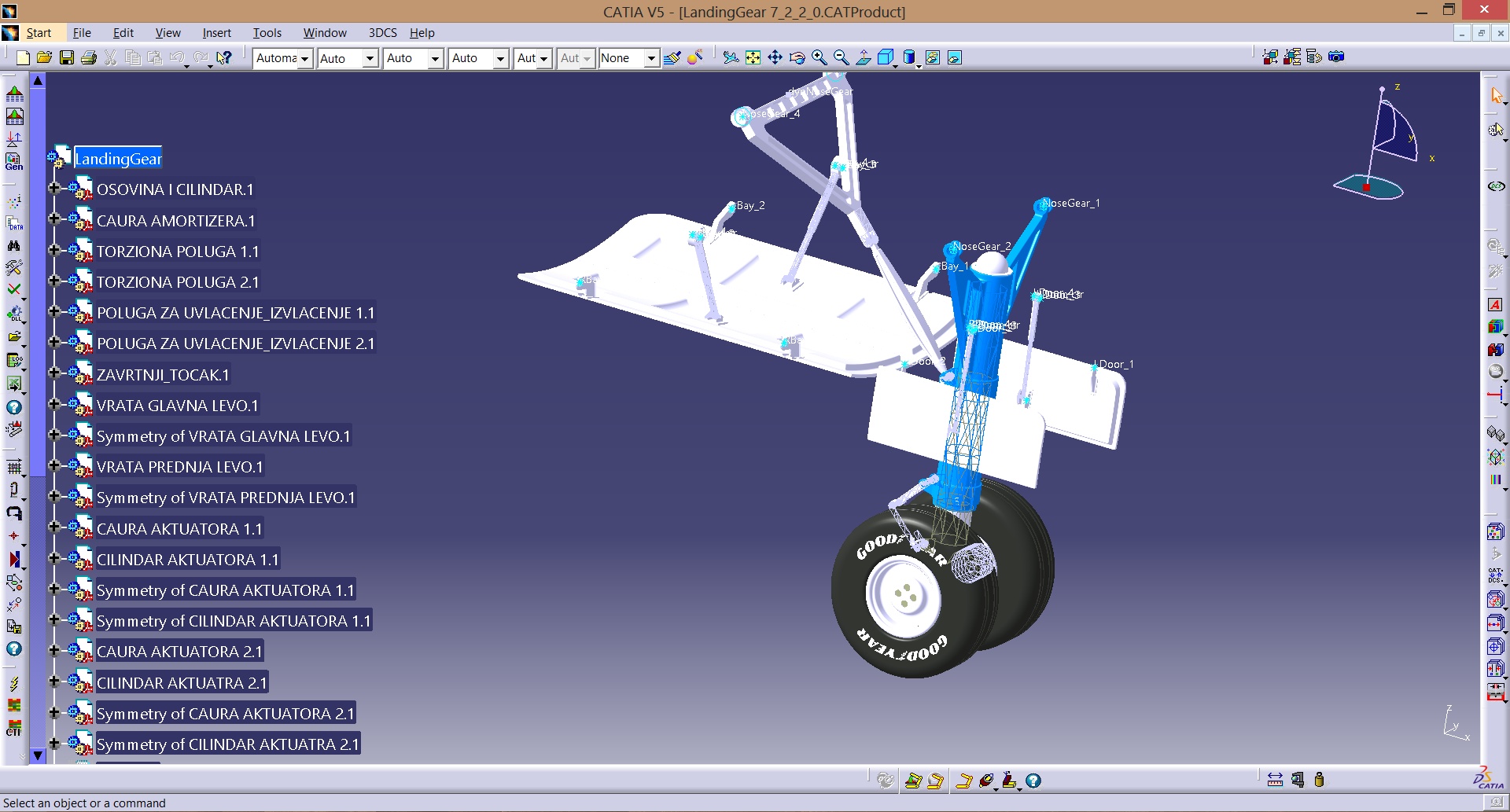
Not all parts and assemblies are static. Many move, react and change during their operation, whether a robotic arm, the shocks of an automobile, the landing gear of a plane or the pistons in an engine. Variation can affect these kinds of assemblies throughout their operation.
Using a new set of kinematic Joints and Constraints and unique simulation, 3DCS Mechanical Modeler can determine the impact of variation on your assembly through its entire range of motion.
With built-in tools like the Degree of Freedom counter, 3DCS Mechanical Modeler allows users to tackle a whole new breadth of models and applications.
**3DCS Mechanical Modeler is an add-on module for 3DCS software solutions, available in all versions, and adding a new toolbar containing Joints and Constraints, Mechanical Moves, Deviation in Motion and the Degree of Freedom counter. **
**[Learn More About the Improvements to 3DCS Mechanical](http://mkt.3dcs.com/3dcs-for-siemens-nx-cad-part-2-mechanical)**
# Include Kinematics and Joints and Constraints
Mix standard moves with mechanical moves, or use easy-to-apply mechanical moves to quickly model and analyze assemblies
[**](http://295751.hs-sites.com/)
### [Add to existing models or create fully mechanical models](http://295751.hs-sites.com/)
[**](http://295751.hs-sites.com/)
### [Extract Joints and Constraints from CAD](http://295751.hs-sites.com/)
[**](http://295751.hs-sites.com/)
### [Analyze through the full range of motion](http://295751.hs-sites.com/)
[**](http://295751.hs-sites.com/)
### [Validate your moves with Degree of Freedom Counter](http://295751.hs-sites.com/)
[](https://cta-redirect.hubspot.com/cta/redirect/295751/3a9d70ac-3457-46c5-aa0e-0caec563ea11)
## **Create Connect Joints and Kinematic Assemblies**
### Determine the effect of variation on mechanical models
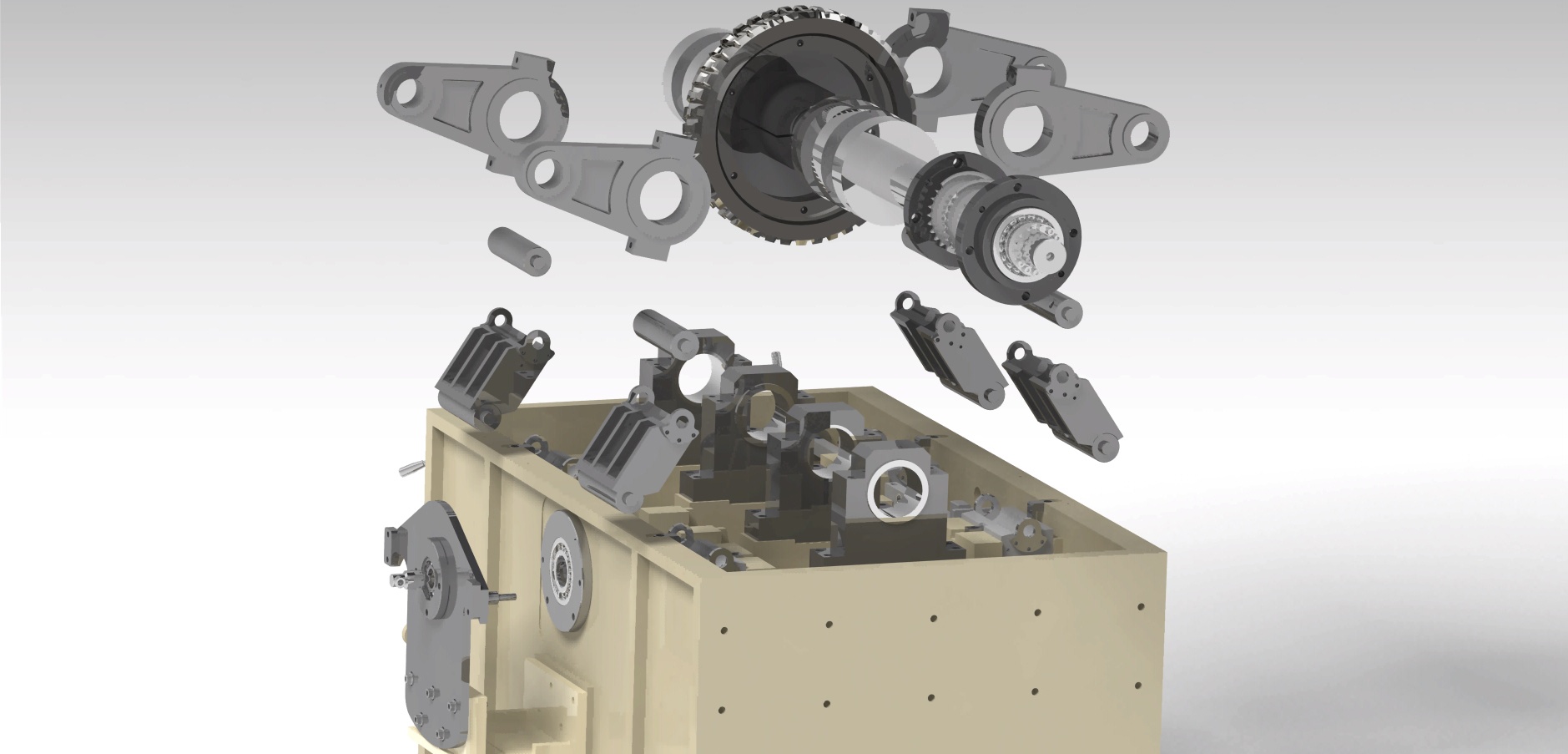
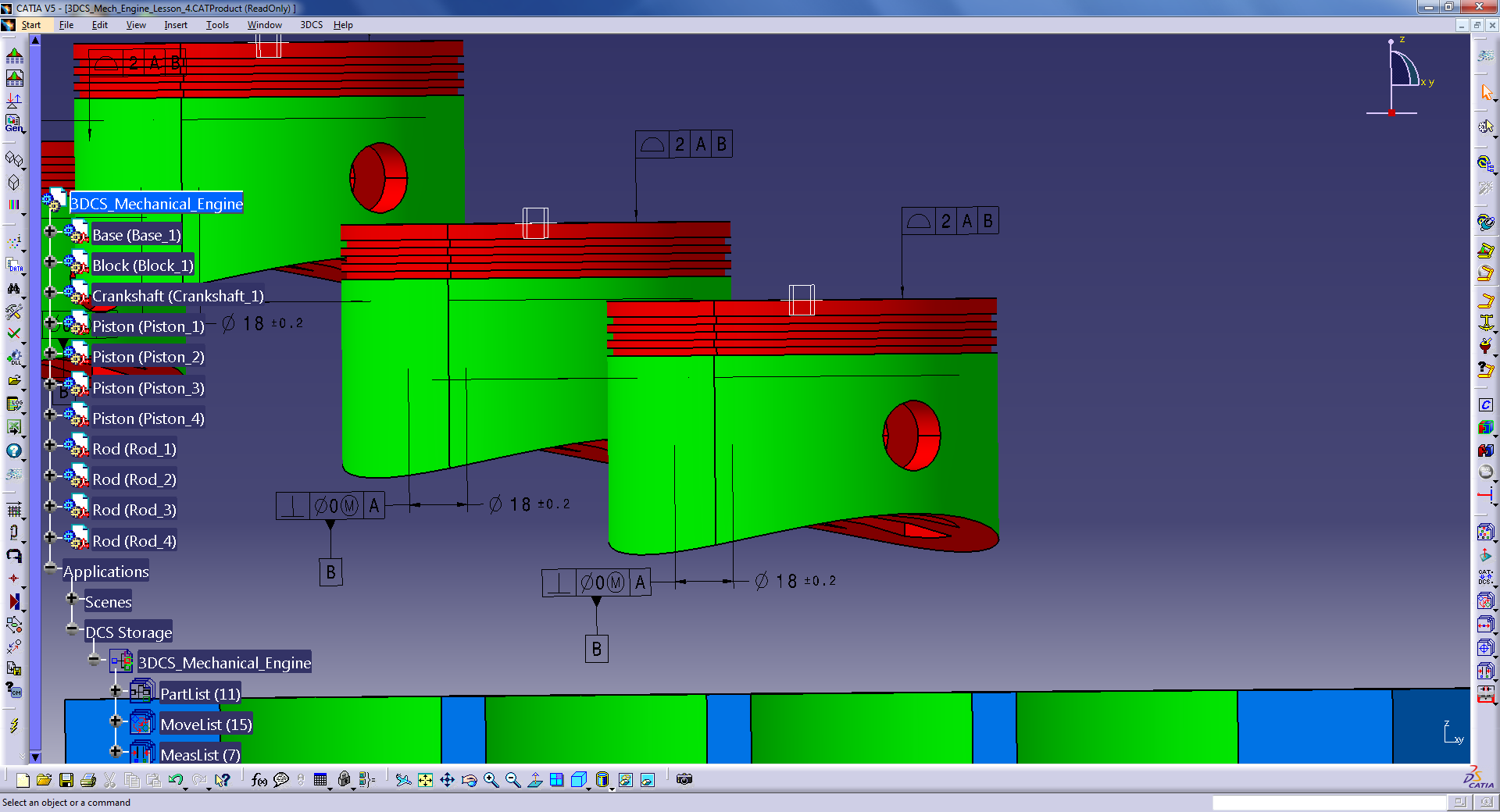
Engines, gears, pistons, levers, arms, linkages can all be modeled using mechanical moves and Joints and Constraints. 3DCS Mechanical Modeler simulates connected parts and can deviate those parts through their range of motion, validating the build at each step. Find out if your assembly will build and function given your GD&T and assembly process.
## **Benefits of using Mechanical Modeler**
- Speed up and simplify modeling of kinematic assemblies
- model complicated linkages and mechanical assemblies
- Combine 3D Variation and Kinematic Analysis
- Dpeict variation on kinematic assemblies through their range of motion in place of fixed locations
- 
- 
- 
- 
- 
- 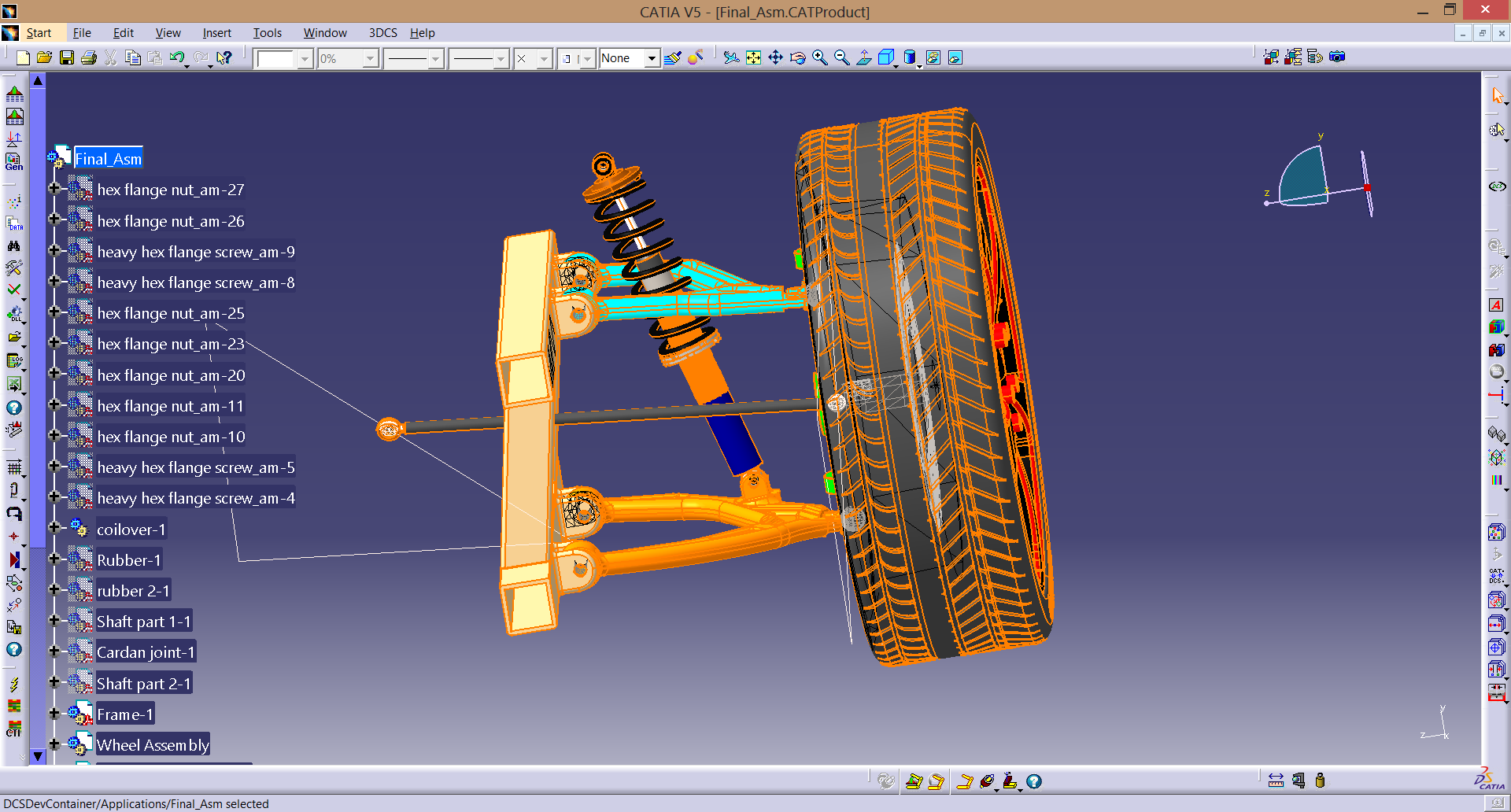
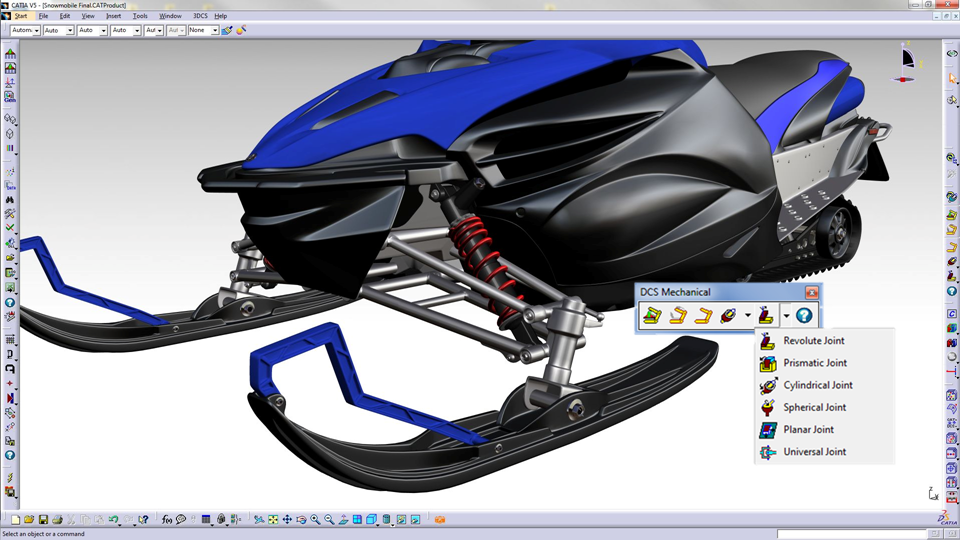
Mechanical Modeler gives users the ability to analyze a variety of models and applications. Suspensions, heavy machinery, engine components, door closure, shock systems and more can be simulated, optimized and validated.
When Would You Use 3DCS MECHANICAL MODELER?
## **Quickly Create New Models**
### Extract Joints and Constraints from CAD for Moves
Extracting Joints and Constraints from CAD and applying them to your DCS model instructs the software on the build and assembly process of your product. This creates the Moves in [3DCS Variation Analyst](http://295751.hs-sites.com/tolerance-analysis-software-and-spc-systems/3dcs-software) automatically, saving valuable time for the modeler.
Key Benefits:
- Create a model in 10 minutes
- Extract from CAD and apply to your 3DCS model with the push of a button
- Utilize accurate assembly processes removing the need for the modeler to determine how the parts are assembled
## **Validate Your Joints and Constraints from CAD**
### Check your moves to make sure they are correct and properly constraining your parts.
After extracting your Joints and Constraints from your CAD model, you want to know whether they are:
- Correct
- Constrained properly, but not over constrained
Using the Degree of Freedom Counter, you can check your Joints and Constraints and validate they are correct.
## **Create New Joints and Constraints**
### Add to an existing model, or create a new model
Use the library of Joints and Constraints in 3DCS Mechanical Modeler to quickly add new Joints and Constraints to your model. Use the Degree of Freedom Counter to check your new Joints and Constraints as you go, reducing errors and speeding up your modeling process.
Benefits:
- Library of Joints and Constraints contains a variety of options to simulate different kinds of Joints and Constraints
- Utilize simplified moves for rigid body modeling to create quick models
- Reduce time by quickly validating your mechanical Joints and Constraints with the Degree of Freedom Counter
## **Solve Over Constrained Parts and Assemblies**
### Find, fix and validate your Joints and Constraints
Use the Degree of Freedom Counter to assist in finding over constrained Joints and Constraints (3DCS Mechanical Moves) and validating whether they have been resolved.
Benefits:
- Determine how 3DCS is adjusting the parts to restrain the moves
- How constrained are your parts in your assembly
- Validate whether your changes have properly constrained the parts
[**](http://295751.hs-sites.com/)
###
#### Analyze kinematic assemblies
[**](http://295751.hs-sites.com/)
###
#### Validate whether your Joints and Constraints are fully contrained
[**](http://295751.hs-sites.com/)
###
#### Use an included library of Joints and Constraints
Want to see it yourself? Fill out the form below to get a free demonstration of 3DCS MECHANICAL MODELER
---
### Request a Demo
DCS will never share your information with a third party or add you to a mailing list without permission. Read our [privacy policy to learn more](http://www.3dcs.com/dcs-privacy-policy) about how DCS protects your information.
### Contact
**DCS Global Headquarters**
2805 Bellingham Dr
Troy, Michigan, 48083
Phone: 1.248.269.9777
Fax: 1.248.269.9770
Website: [www.3dcs.com
](http://www.3dcs.com/)Email: [sales@3dcs.com](mailto:sales@3dcs.com)
Cookie Settings
### Recent Posts
### Subscribe to Newsletter
